Tips for Automating the Cash Application Process: 10 Best Practices
The best way to automate the cash application process is to combine clean payment data, standardized remittance information, reliable ERP and banking integrations, intelligent payment matching, exception workflows, clear operating rules, and continuous KPI monitoring. Automation should not simply replace manual data entry. It should create a controlled workflow that captures payments, identifies customers and invoices, matches transactions, handles exceptions, posts approved applications, and continuously improves performance.
For accounts receivable teams, successful automation starts with understanding where manual effort is concentrated and then selecting the right combination of process improvements, integrations, rules, and intelligent automation.
In this guide, we cover 10 practical tips for automating the cash application process, common implementation challenges, KPIs to monitor, and best practices for building a scalable automated cash application operation.
What Is Cash Application?
Cash application is the accounts receivable process of matching incoming customer payments with the corresponding invoices or open receivable items and recording the application in the accounting or ERP system.
The process typically involves collecting payment information, capturing remittance details, identifying the customer, matching payments to invoices, resolving exceptions, posting the transaction, and reconciling the result.
When performed manually, these activities can require significant research and data entry. Automation can handle repeatable activities while directing transactions that require judgment to finance professionals.
Understanding the broader cash application automation process is therefore an important starting point before selecting or implementing technology.
Why Automate the Cash Application Process?
Cash application is a high-volume AR activity in many organizations. Payments can arrive through multiple channels, while remittance information may be distributed across bank files, emails, PDFs, portals, lockboxes, and electronic formats.
Automation can help finance teams:
- Reduce repetitive manual data entry
- Accelerate payment matching and posting
- Standardize payment and remittance processing
- Reduce avoidable matching errors
- Improve visibility into unapplied cash
- Route exceptions to the appropriate team
- Support more consistent reconciliation
- Scale payment processing as transaction volumes grow
J.P. Morgan’s current cash application guidance similarly emphasizes standardizing payment information, establishing exception procedures, and integrating cash application with accounting systems as important practices for improving the process.
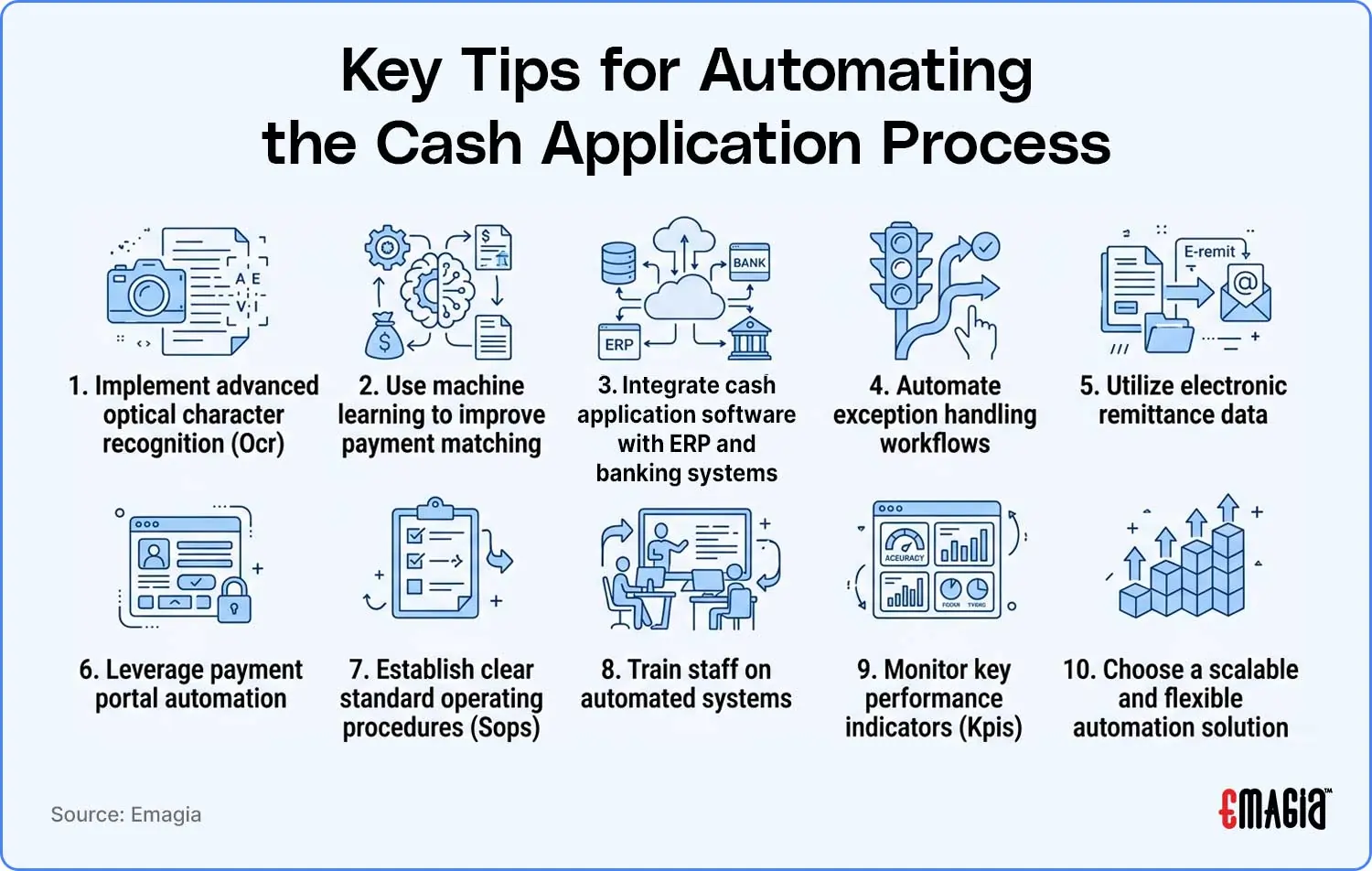
10 Tips for Automating the Cash Application Process
1. Start With a Cash Application Process Assessment
Before implementing automation, document how payments are processed today. Identify where payment data comes from, how remittance information is collected, which matching rules are used, how exceptions are handled, and where finance employees spend the most time.
Look specifically for:
- Payment channels requiring the most manual effort
- Customers frequently sending incomplete remittance information
- Invoice types that create matching exceptions
- Manual spreadsheet-based activities
- Payments that remain unapplied for extended periods
- ERP posting and reconciliation bottlenecks
This assessment creates a baseline for deciding what should be automated first.
2. Standardize Payment and Remittance Data
Automation is only as effective as the data entering the workflow. If customers provide inconsistent invoice references or send remittance information in different formats, the matching process becomes more difficult.
Where possible, standardize the information customers provide with payments. Useful fields include:
- Customer account number
- Invoice number
- Payment amount
- Payment date
- Currency
- Purchase order number
- Credit memo references
- Deduction information
Standardized electronic remittance formats can reduce ambiguity and make automated matching more reliable.
3. Automate Remittance Data Capture
Remittance information may arrive through email, PDF attachments, bank files, lockboxes, customer portals, spreadsheets, EDI, or other sources.
Instead of requiring AR staff to manually open and interpret every document, automation can extract relevant information and make it available to the matching process.
OCR and intelligent document processing can be useful for scanned checks, remittance documents, and other image-based or semi-structured information. AI-based approaches can extend this capability to more varied document and text formats.
The goal is to create a centralized flow of payment and remittance information rather than forcing analysts to search multiple systems.
4. Use Intelligent Payment Matching
Rules-based matching can handle predictable transactions, such as an exact invoice-number and amount match. More complex environments may benefit from machine learning or AI-assisted matching that considers multiple data points and historical application patterns.
Matching logic may evaluate:
- Invoice numbers
- Customer account information
- Payment amounts
- Reference numbers
- Remittance details
- Historical payment behavior
- Customer and parent-child relationships
- Partial-payment and short-pay scenarios
The objective is not simply to maximize automated matches. The matching process should also maintain appropriate controls and confidence thresholds so that uncertain transactions are reviewed rather than incorrectly applied.
5. Integrate Cash Application With Your ERP and Banking Systems
ERP integration is a critical part of cash application automation. A payment is not fully processed simply because a matching engine identifies a likely invoice. The approved result must reach the accounting system accurately.
Integration can connect:
- Banking systems
- Lockbox platforms
- Payment portals
- Cash application software
- ERP systems
- Customer master data
- Accounts receivable ledgers
API-based integrations, file-based interfaces, and other supported connectivity methods can be used depending on the organization’s technology environment.
Current industry guidance increasingly emphasizes that successful automation must extend through reliable ERP posting and not stop at the payment-matching stage.
6. Design Exception Handling Before Going Live
Do not treat exceptions as an afterthought. A well-designed automated cash application process should define what happens when a payment cannot be confidently matched.
Common exceptions include:
- Missing remittance information
- Unknown customer
- Partial payment
- Short payment
- Overpayment
- Customer deduction
- Multiple invoices with ambiguous references
- Duplicate payment concerns
Define rules for who receives each exception, what information they need, what actions they can take, and when an issue should be escalated.
Dynamic exception routing is increasingly emphasized in modern cash application automation because exception handling can become a bottleneck even after payment matching has been automated.
7. Make Electronic Remittance the Preferred Option
Encourage customers to send structured remittance information with their payments whenever possible.
Electronic remittance can make it easier to identify:
- Which invoices are being paid
- How much is allocated to each invoice
- Which deductions are being claimed
- Which credit memos are referenced
- Which customer account should receive the payment
For organizations with large customer bases, improving remittance quality can reduce downstream matching and exception-handling effort.
8. Establish Clear Rules, Controls, and SOPs
Automation should operate within clearly defined business rules.
Create documented standard operating procedures covering:
- Payment matching rules
- Customer identification
- Partial-payment treatment
- Short-pay and deduction handling
- Overpayment processing
- Small-balance policies
- Exception escalation
- ERP posting controls
- Reconciliation procedures
- Audit requirements
Clear rules make automation more predictable and help finance teams understand when human review is required.
9. Train the AR Team for Exception-Based Work
Automation changes the role of the cash application team. Instead of spending most of their time entering and matching routine payments, analysts may spend more time investigating exceptions, resolving deductions, handling unusual transactions, and improving customer payment behavior.
Training should cover:
- How the automated workflow operates
- How matching recommendations are generated
- How to investigate exceptions
- When to override an automated recommendation
- How to document manual decisions
- How to monitor KPIs
- How to escalate system or data issues
This makes human oversight part of the automation design rather than treating it as a fallback.
10. Measure the Right Cash Application KPIs
Establish a baseline before automation and continue measuring performance after implementation.
| KPI | What It Measures |
|---|---|
| Auto-match rate | Percentage of payments matched automatically according to defined criteria |
| Straight-through processing rate | Percentage of eligible payments processed without manual intervention |
| Unapplied cash | Payments received but not yet correctly applied |
| Exception volume | Number of transactions requiring manual investigation |
| Exception resolution time | Time required to resolve unmatched or problematic transactions |
| Cash application cycle time | Time between payment receipt and completed application |
| Manual touches | Number of human actions required per payment |
| Posting accuracy | Accuracy of payments posted to customer and invoice records |
Do not evaluate automation using a single metric. A high auto-match rate is useful only when the resulting applications are accurate and exceptions remain manageable.
What Technologies Are Used to Automate Cash Application?
Modern cash application automation can combine several technologies rather than relying on one tool.
| Technology | Role in Cash Application |
|---|---|
| OCR | Extracts text and data from scanned documents and images |
| Intelligent document processing | Extracts and interprets information from varied financial documents |
| Machine learning | Identifies matching patterns and can improve recommendations using historical data |
| AI / NLP | Helps interpret unstructured or semi-structured payment and remittance information |
| APIs | Connect banking, ERP, payment, and other systems |
| Workflow automation | Routes payments, exceptions, approvals, and follow-up actions |
| Analytics | Measures matching, exceptions, unapplied cash, and process performance |
The most effective architecture depends on the organization’s payment channels, ERP environment, data quality, transaction complexity, and control requirements.
How to Handle Unstructured Remittance Data
One of the most difficult parts of cash application automation is dealing with remittance information that does not follow a consistent structure.
Examples include:
- Email messages containing payment instructions
- PDF remittance advice
- Scanned documents
- Excel spreadsheets
- Free-text payment references
- Customer-specific remittance formats
AI, intelligent document processing, and document extraction technologies can help convert this information into structured data that matching engines can use.
However, extraction accuracy should be monitored, and appropriate confidence thresholds and human-review controls should be established for ambiguous information.
How to Automate Cash Application Exceptions
A mature cash application solution should not simply identify unmatched payments. It should help the AR team resolve them efficiently.
An effective exception workflow can:
- Identify the unmatched transaction.
- Classify the exception type.
- Gather relevant customer, invoice, payment, and remittance information.
- Recommend possible matches or next actions.
- Route the exception to the appropriate user or team.
- Record the resolution.
- Feed approved outcomes back into process improvement and, where appropriate, intelligent matching.
This approach keeps exceptions visible and prevents automation from creating a hidden backlog of unapplied cash.
Common Challenges When Automating Cash Application
Inconsistent Customer Remittance Data
Customers may provide different formats and levels of detail. Standardization and intelligent extraction can help address this variability.
Legacy ERP and Banking Systems
Older systems may require file-based integrations or customized interfaces. Integration architecture should therefore be assessed before implementation.
Complex Payment Scenarios
Partial payments, deductions, consolidated payments, overpayments, and parent-child customer relationships can make matching more complicated than simple invoice-number matching.
Exception Backlogs
Automating straightforward payments while leaving exceptions unmanaged can simply move the bottleneck. Exception routing and prioritization should be part of the initial design.
Change Management
AR teams need clear training, process documentation, and defined responsibilities for reviewing automated recommendations and exceptions.
Insufficient Performance Measurement
Without a baseline, organizations may find it difficult to determine whether automation is improving cycle time, match rates, exception volumes, and unapplied cash.
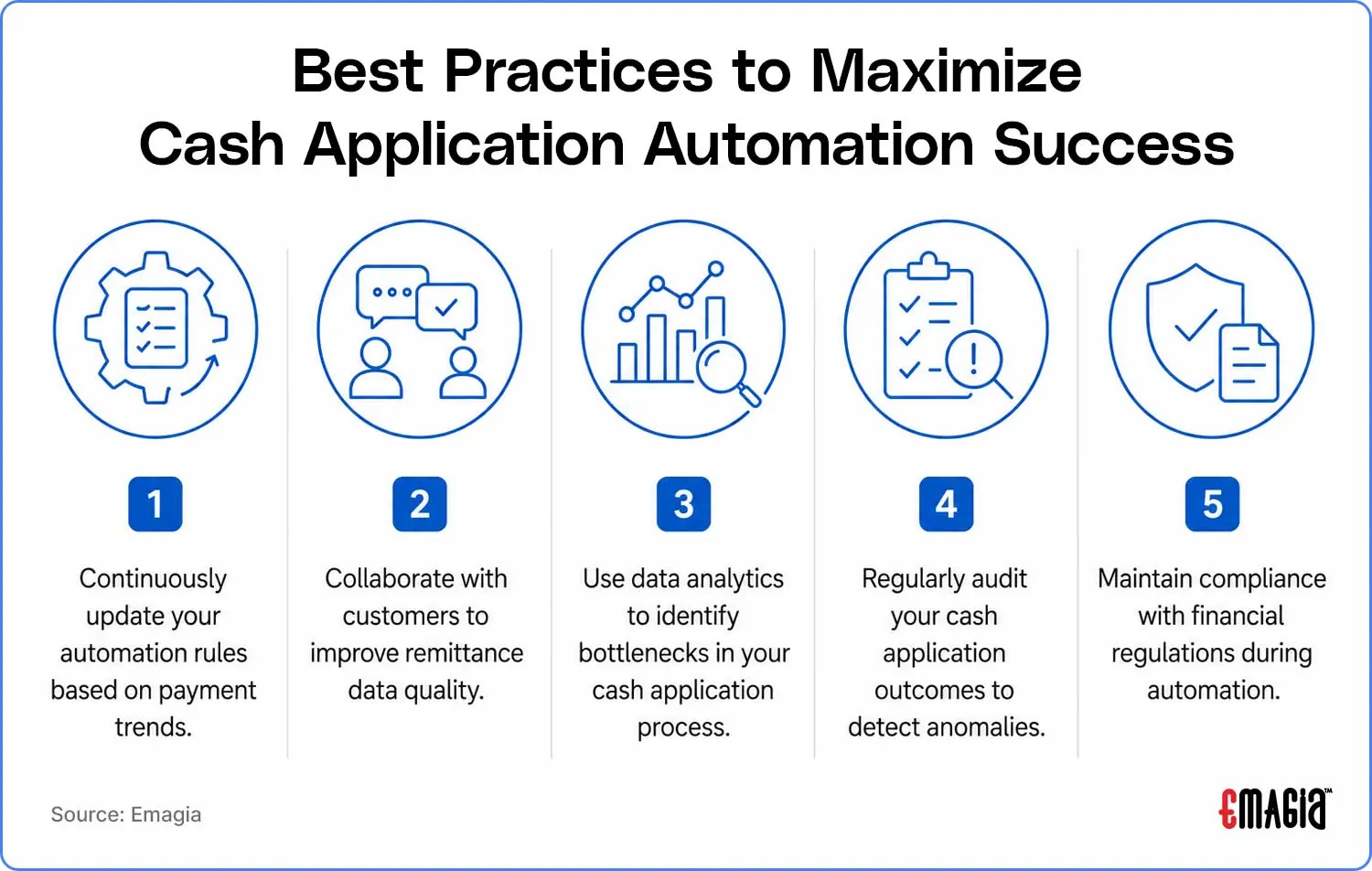
Best Practices for Cash Application Automation
- Start with high-volume payment sources: Automate processes that create the greatest manual workload first.
- Improve remittance quality: Work with customers to increase the amount of usable payment information.
- Integrate the full workflow: Connect payment sources, matching, exception management, and ERP posting.
- Define confidence thresholds: Do not force uncertain transactions into automatic posting.
- Prioritize exceptions: Give analysts the information needed to resolve high-impact exceptions quickly.
- Maintain audit trails: Record automated matches, overrides, approvals, and posting outcomes.
- Review automation rules regularly: Payment patterns and customer behaviors change over time.
- Measure before and after: Compare KPIs against the baseline established before implementation.
How to Know If Your Business Is Ready for Cash Application Automation
Before investing in automation, ask:
- How many payments does the AR team process each day or month?
- How much time is spent manually collecting remittance information?
- How often are payments received without usable remittance data?
- What percentage of payments are currently matched automatically?
- How much cash remains unapplied?
- Which payment types create the most exceptions?
- How long does it take to post a payment after receipt?
- How well are banking and ERP systems integrated?
- Can the current process scale without proportionally increasing manual work?
These questions help determine whether the primary opportunity is better data quality, process standardization, integration, matching automation, exception management, or a combination of these areas. J.P. Morgan similarly recommends assessing payment volume, remittance completeness, posting time, and system connectivity before deciding where to begin automation.
How Emagia Helps Automate Cash Application
Emagia’s AI-powered Cash Application solution is designed to automate payment and remittance capture, invoice matching, exception management, and ERP posting across accounts receivable environments. Emagia describes integrations with banks, lockboxes, ERP systems, email inboxes, and customer AP portals.
Intelligent Remittance Capture
Emagia supports the capture and interpretation of remittance information from sources such as email, PDFs, lockbox files, and other payment-related data sources. This helps reduce the need for analysts to manually collect and interpret payment information.
AI-Powered Payment Matching
Emagia uses AI and machine learning capabilities to identify relationships between incoming payments and open invoices. The matching workflow can support complex scenarios where payment and remittance information is incomplete or varies across customers.
Exception Management
When a payment cannot be confidently matched, exception workflows can route the transaction for investigation rather than leaving it unresolved in an unapplied cash queue.
ERP and Banking Integration
Integration is an important part of the end-to-end workflow because matched payment information ultimately needs to be reflected accurately in the ERP and accounts receivable records. Emagia describes connectivity across banks, ERP systems, lockboxes, and payment-related sources.
Analytics and Continuous Improvement
Cash application automation should be treated as an ongoing process rather than a one-time implementation. Monitoring match rates, exceptions, unapplied cash, cycle time, and posting accuracy can help finance teams identify opportunities for further improvement.
Frequently Asked Questions
What is cash application automation?
Cash application automation uses software to capture payment and remittance information, identify customers and invoices, match payments, manage exceptions, and post approved transactions to an accounting or ERP system with reduced manual intervention.
How can I automate the cash application process?
Start by documenting the existing workflow, standardizing payment and remittance data, connecting banking and ERP systems, automating remittance capture, implementing intelligent payment matching, designing exception workflows, training the AR team, and measuring performance with defined KPIs.
What is the most important tip for cash application automation?
There is no single technology that solves every cash application challenge. A successful implementation combines reliable data, standardized processes, system integration, appropriate matching logic, exception management, and ongoing performance measurement.
What technologies are used in cash application automation?
Common technologies include OCR, intelligent document processing, machine learning, AI, natural language processing, APIs, workflow automation, ERP integration, and analytics.
Can AI automate cash application?
AI can automate or assist with activities such as remittance extraction, customer identification, payment matching, exception classification, and payment application. Human review remains appropriate for transactions that require judgment or have insufficient information.
How does automation handle partial payments and overpayments?
Automated systems can be configured to recognize partial payments and overpayments and route them according to predefined business rules. The exact accounting treatment depends on the organization’s policies and customer agreements.
How do I measure cash application automation success?
Useful measures include automatic match rate, straight-through processing rate, unapplied cash, exception volume, exception resolution time, cash application cycle time, manual touches, and posting accuracy.
How do I choose cash application automation software?
Evaluate the solution’s payment and remittance connectivity, ERP integration, matching capabilities, support for complex payment scenarios, exception workflows, audit controls, scalability, analytics, security, implementation requirements, and total cost of ownership.
Is cash application automation suitable for growing businesses?
Automation can be useful when transaction volume, payment-channel complexity, customer count, or manual processing requirements make the existing workflow difficult to scale. The appropriate level of automation depends on the organization’s processes, systems, transaction complexity, and business requirements.
Key Takeaway
Successful cash application automation is more than installing matching software. The strongest implementations combine standardized payment data, automated remittance capture, intelligent matching, ERP and banking integration, exception management, clear controls, trained employees, and continuous KPI monitoring.
Start with the areas creating the greatest manual effort, establish a measurable baseline, automate predictable transactions, and build a controlled workflow for exceptions. This creates a foundation for scaling accounts receivable operations while maintaining visibility and human oversight where it matters.
Related Cash Application Resources
- Accounts Receivable Reconciliation
- Challenges of Manual Cash Application
- Advantages of Automating Accounts Receivable Cash Application
- How to Automate Cash Application
- How Cash Application Automation Software Works
- What Is Cash Application?